Every role needs a different first screen
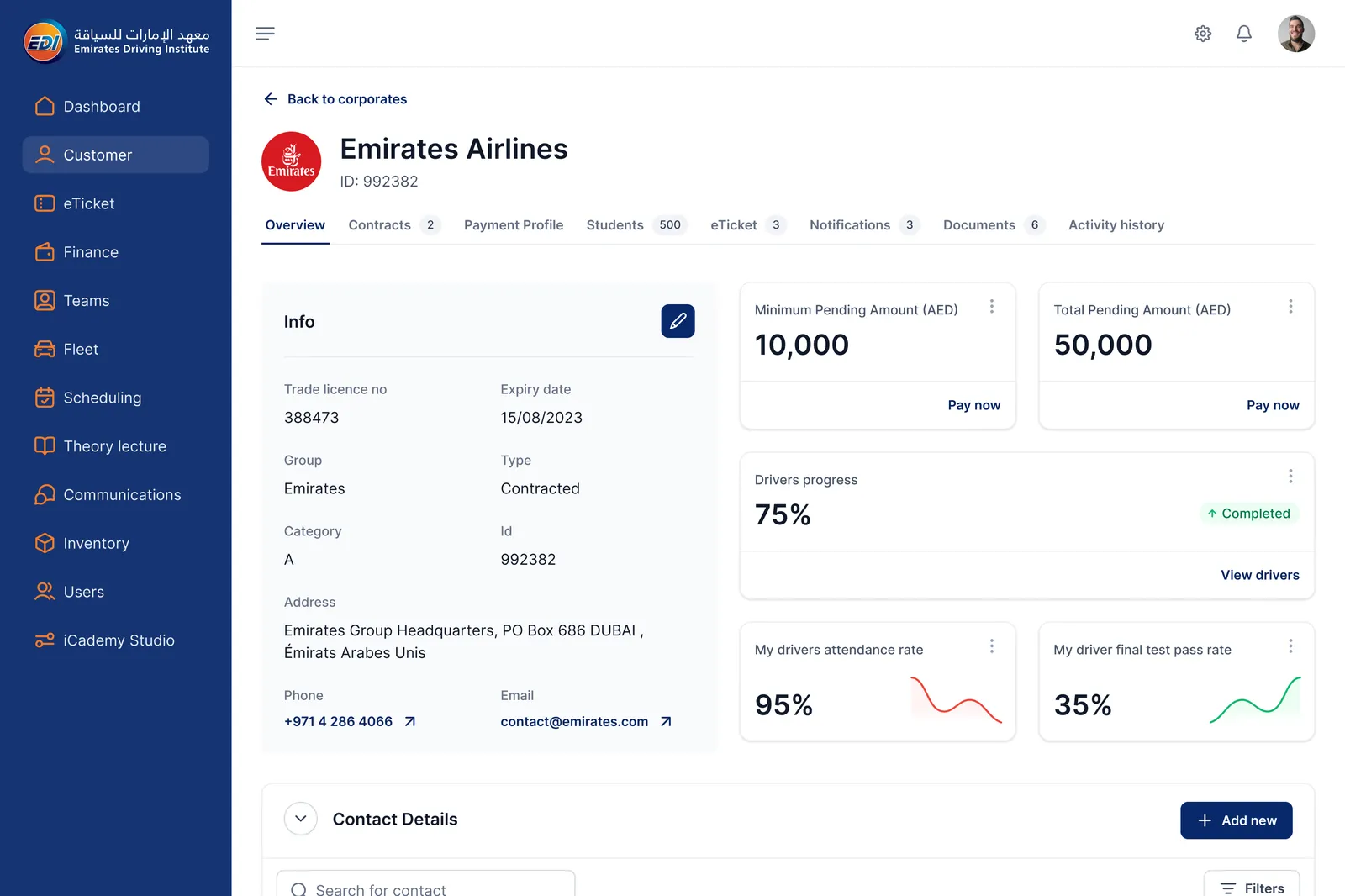
The CEO, the Head of Finance and the Fleet Manager open the same back office, but each one needs their own numbers first: pass rates, pending payments, vehicles due for service.
 Contact
Designing the operating system of the largest driving school in the Middle East: a back office for 13 staff roles, a tablet for instructors, a self-service kiosk, a student portal and a mock theory test.
Intro
Emirates Driving Institute, part of the Belhasa Group, trains drivers for every licence category in Dubai. Its work runs through people with very different jobs: a CEO watching performance, a fleet manager tracking every vehicle and its service, instructors on the training yard, call center agents, students registering at a kiosk. We designed the tools each of them uses, and made sure they read as one product.
Challenges
The CEO, the Head of Finance and the Fleet Manager open the same back office, but each one needs their own numbers first: pass rates, pending payments, vehicles due for service.
A student belongs to a corporate contract, is assigned to an instructor, a vehicle and a schedule, and pays per stage. One record touches four teams.
Courses combine licence types, schedules, stages, fees by gender and persona, and discounts. Staff had to configure it without a developer.
Instructors log assessments on a tablet during a lesson; students register on a kiosk in a busy hall. Neither can afford a dense desktop layout.
Strategy
We started from the people, not the modules: who opens the product, what they decide with it, and which data they need for that decision. That role map defined the dashboards, the navigation and the permissions. One component library then carried the back office, the tablet apps and the kiosk, so a status badge or a data table behaves the same on every device. The direction was validated with the client in co-creation workshops and refined in interactive Figma prototypes.
Designs
The same components, the same statuses and the same tone, on a 27-inch office screen, a tablet held in a car, and a kiosk in the lobby.
Back office · Desktop
Thirteen roles, from the CEO to the Government Relationship Manager, each with the data they act on. Corporate clients, students, fleet, teams and scheduling share one navigation and one table pattern, so moving between departments costs no relearning.
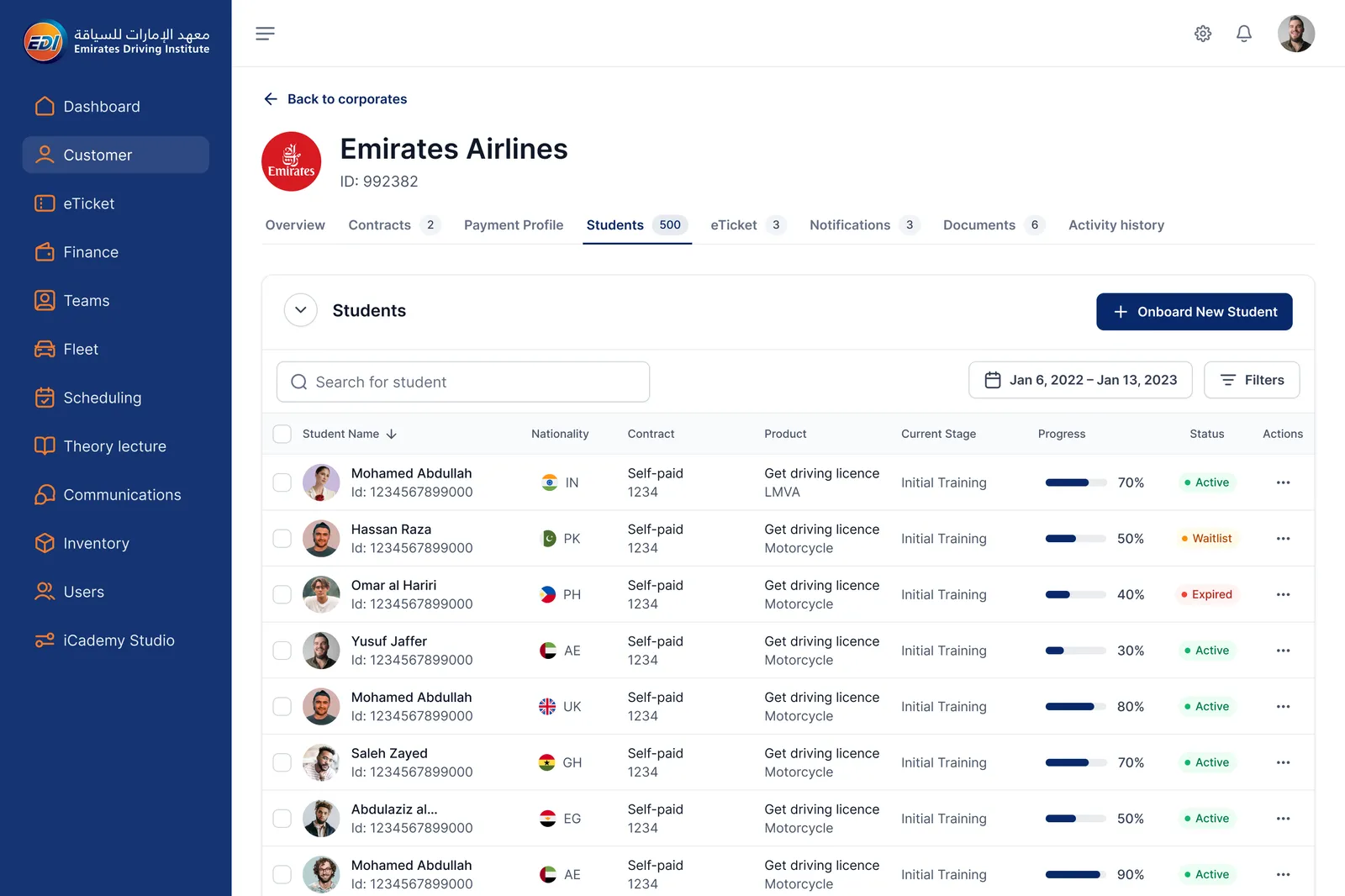
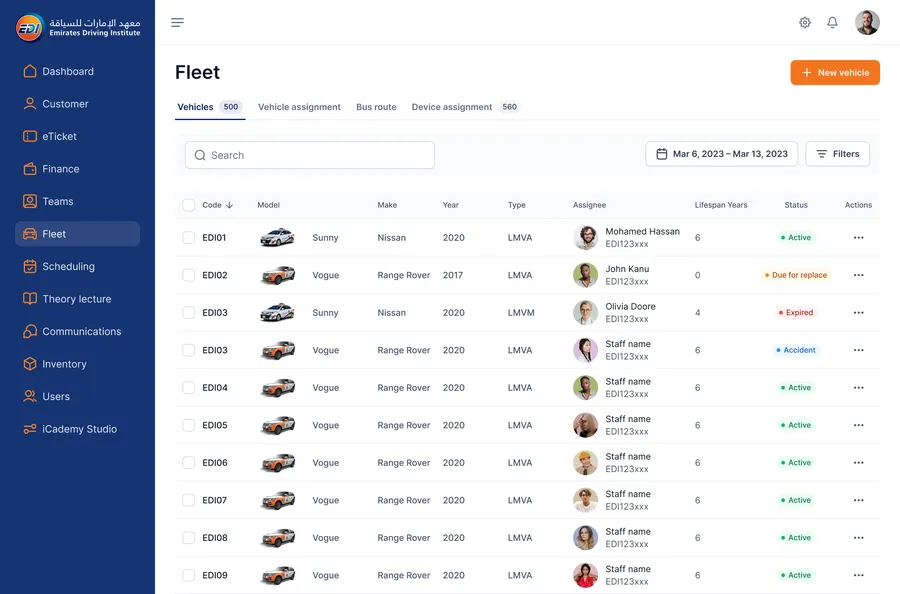
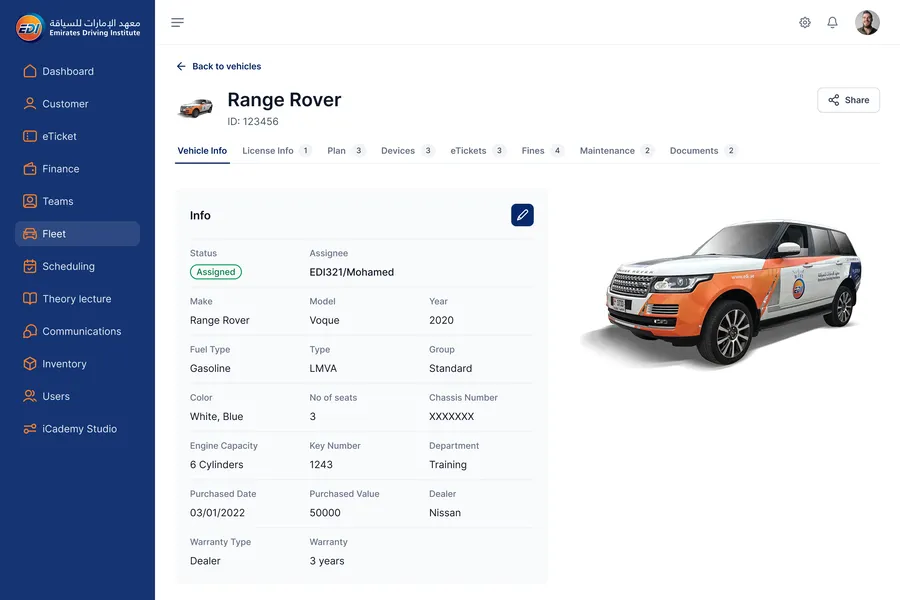
Students of a corporate client, the fleet, one vehicle's full record.
Back office · Desktop
Staff build a course stage by stage, attach schedules, and set fees and discounts per persona.
Setting fees and discounts on a package. Building course stages and schedules.
Back office · Desktop
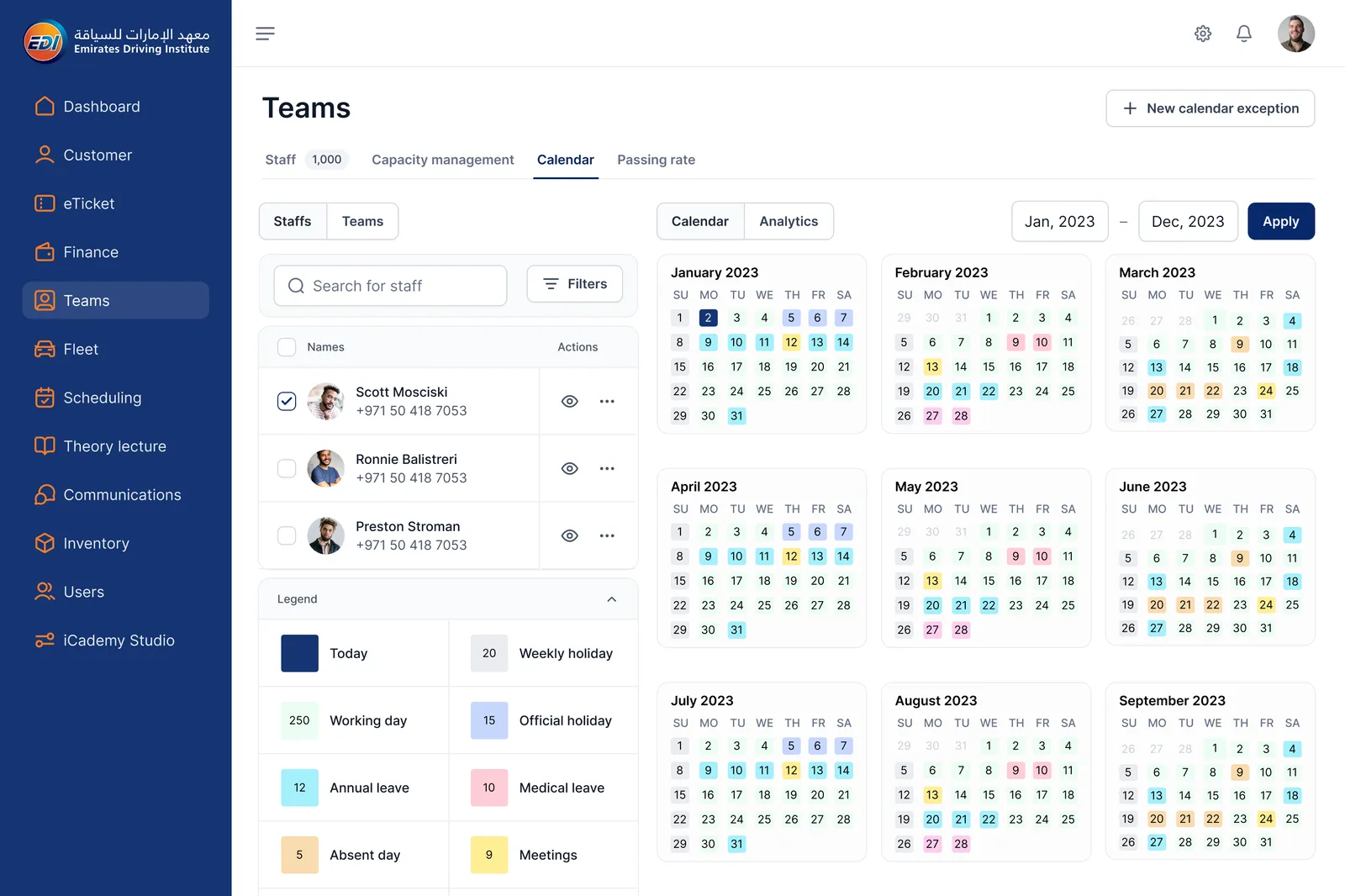
A yearly calendar shows working days, holidays and leave for every staff member, so planners see capacity before they book lessons.
Instructor tablet · iPad
The instructor sees the day's students, starts a session, and ticks each driving skill as the lesson goes. A timer and a single remark field keep it usable with one hand, between two manoeuvres.
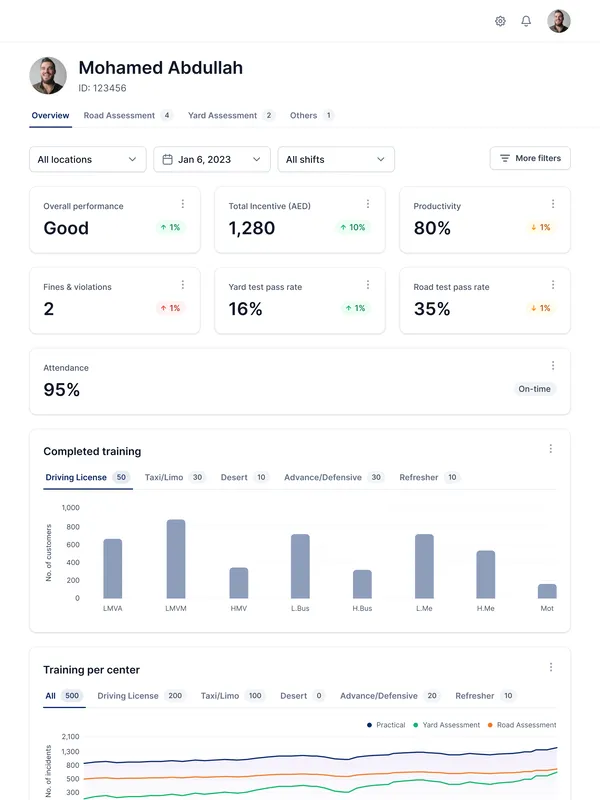
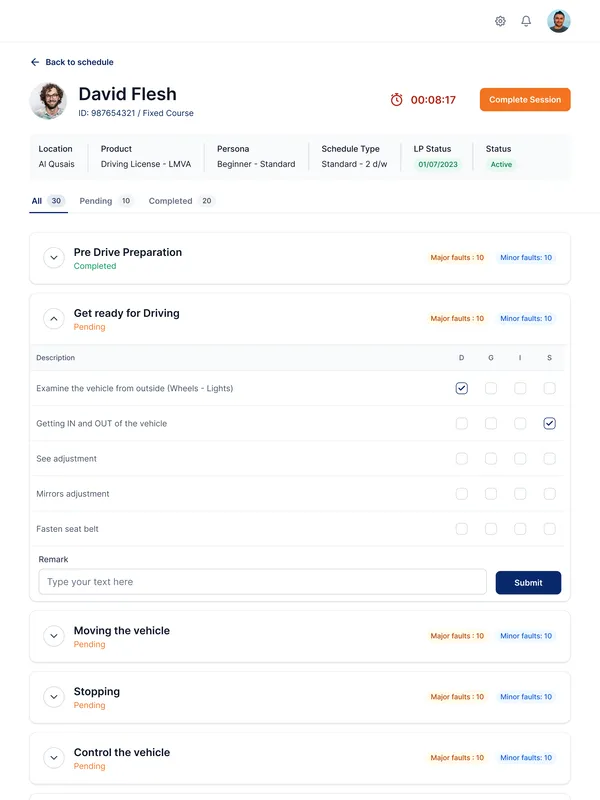
Instructor performance overview; a live road assessment.
Kiosk · Touch screen
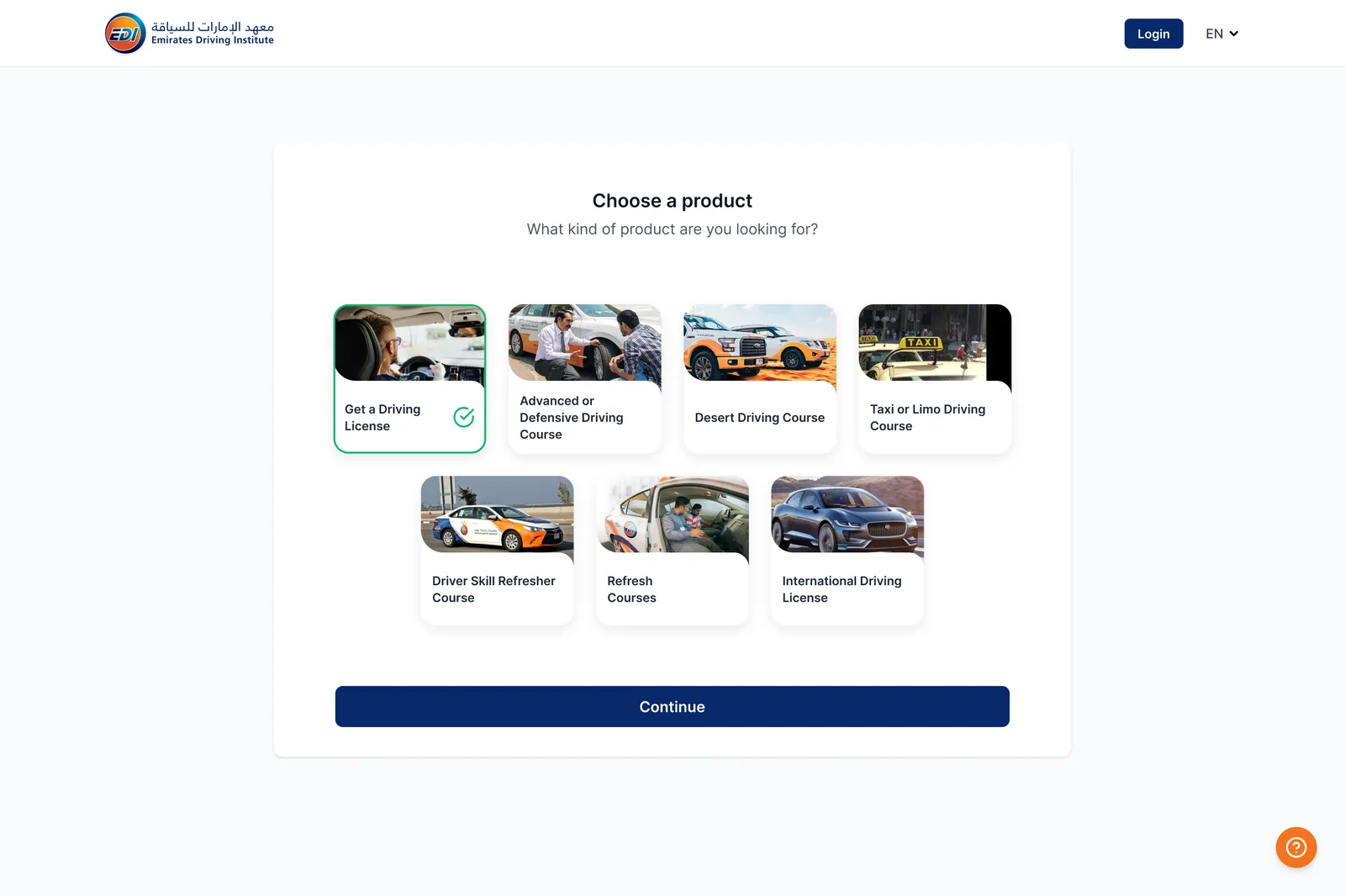
New students choose a course, compare packages by price, level and start date, and pick a pick-up point or shuttle stop on a map. The goal from the brief: shorter waits at the counter and cleaner data from the first step.
Student portal · Web
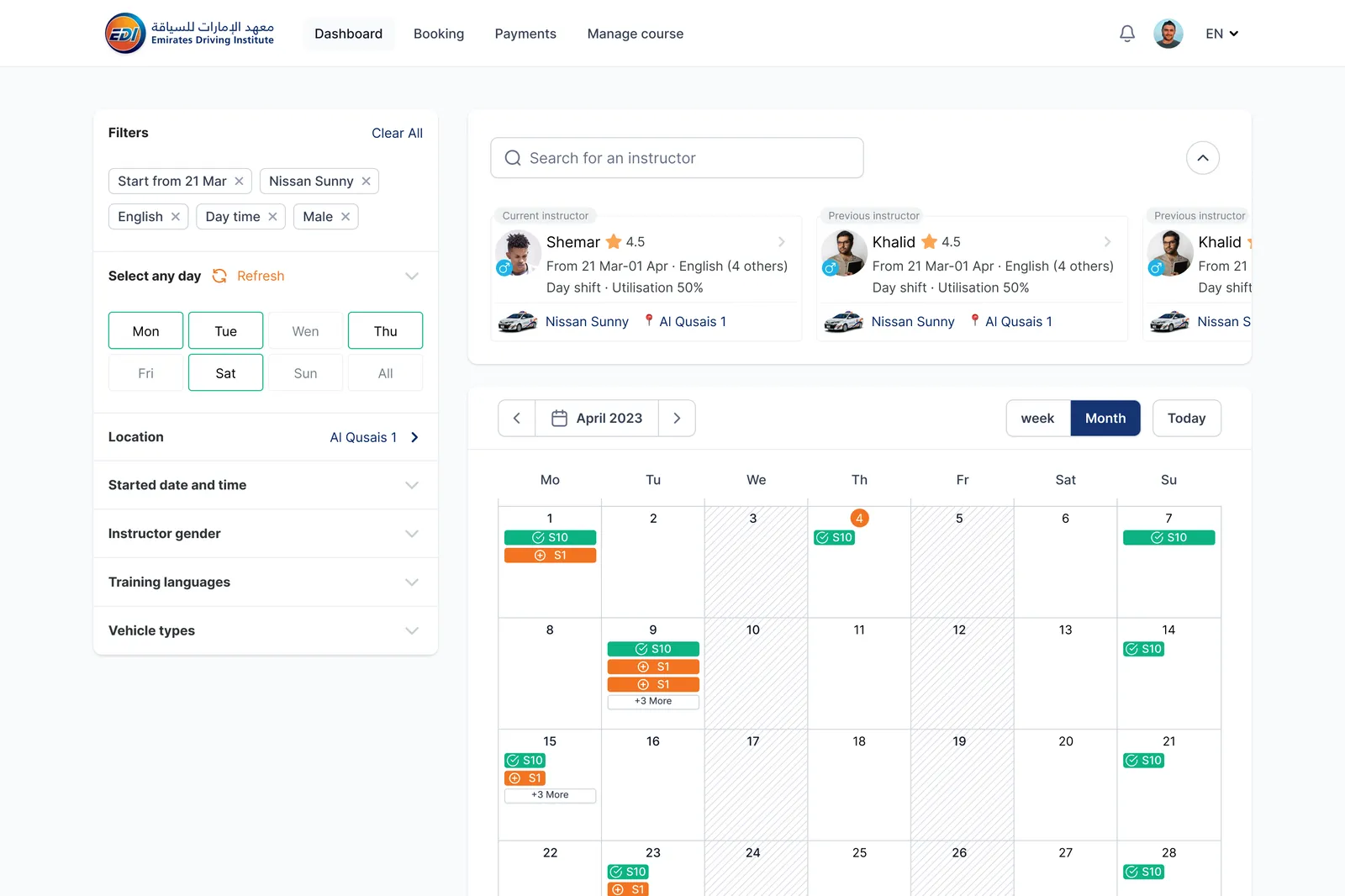
Students filter instructors by language, gender, shift and vehicle, and book on a monthly calendar.
Mock test · iPad
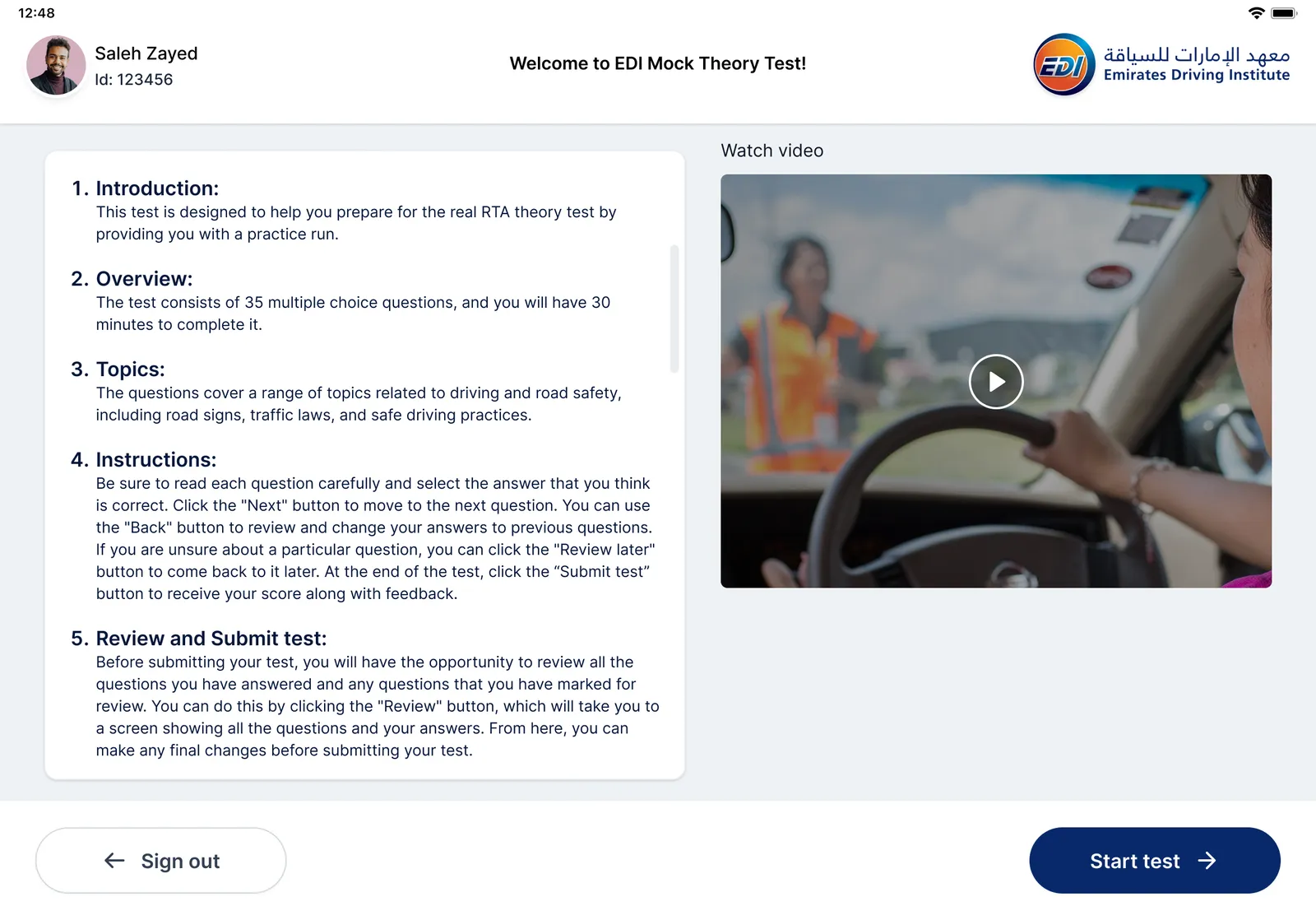
A tablet practice test for the RTA theory exam: clear rules, a short video, then 35 questions in 30 minutes.
Impact
Lessons
Asking each role "what do you decide with this screen?" cut more noise than any layout rule.
The kiosk and the tablets went faster because the back office had already settled tables, statuses and forms.
Let's work on it together.
Drop me a message